After the screening of my work (although mine did not play for unknown reasons) I feel I should give a few quick last comments about my experience of making the piece.
Overall I feel I did really well in achieving in this project. My matte painting idea was quite ambitious, and something I had never done before, so I used a hell of a lot of things to help me. I spent most of my time in Photoshop just trying to create the world I wanted to portray, and despite it taking a long time I think it was worth it. My process in making the matte painting involved a lot of just looking at the work other people had done, which was something similar to what I wanted to do, and then finding a way to re-create it in After Effects or Photoshop. A couple of tutorials I found most helpful can be found at the URL's below:
http://design.tutsplus.com/tutorials/create-a-realistic-underwater-scene-in-photoshop--psd-28309
https://www.youtube.com/watch?v=pjdmXYRzAWg
http://www.photoshoplady.com/tutorial/create-a-destroyed-city-scene-using-photoshop/2718
My idea was conceptually quite good, relevant topic to use as a basis for my work. My two screens on either side of my matte painting I think got the message across, although this is something I found particularly difficult to judge. One of my main weaknesses in my work is not knowing whether the audience will understand what I mean when I show them something, purely because I know more in terms of the meanings behind what I am doing than perhaps they would. I got around it somewhat by showing people my work, but with this project in particular I struggled with the balance between giving the audience relevant information, and being too obvious about it.
The only other thing I could say about this project is that if I were to do this again I think I would possibly develop my idea a little further and change it somehow, just slightly. I am happy with the result I got, but I feel that the subject matter I was talking about was so rich that there could have been something so much more interesting to explore within it.
Showing posts with label Time Art. Show all posts
Showing posts with label Time Art. Show all posts
Friday, 11 April 2014

Thursday, 10 April 2014
Time Art Review
Following my tutorial I followed quite a few suggestions I highlighted in the previous post.
I created that transition on the matte painting, which definitely made the whole piece more effective:


I created that transition on the matte painting, which definitely made the whole piece more effective:
I also found that because I had the light transitioning from lighter to darker I didn't need to make the painting less murky as it never truly reaches the darkness it did before.
Secondly, I had some of my images on the left and right screen coming off the sides of the screen so that I could integrate them into my matte painting using an overlaying effect. It creates something slightly ghostly about the whole piece, and it helps create a connection between the images and the painting itself.
I improved on the uniformity of the images on the left and right screen, and it certainly looks a lot cleaner and easier to look at as a result. I also found a way to time it better which helped create an end to the piece, and as such helped it flow a lot easier:
I tried adding a brick texture underneath my footage to see if that created a connection with the images and the building/construction theme I was going for. However I felt it was too much for the audience to look at, with the images changing on both screens as well as the matte painting. Also I felt my footage was enough of a giveaway and I didn't want to make it too obvious.
The final major change I made was including more footage that highlighted the environmental impact humans and construction make on natural events. Also, adding more footage on the construction side of the piece to include more about the desire and wonder of these large and magnificent structures that nations are seemingly in competition to build.
Overall, I feel these changes have made a significant difference to my piece, and I feel it is a better piece overall for it.
Simon's Tutorial Friday 11th April
After my complete export fail for my official Time Art review, I organised a tutorial with Simon to discuss my work. I made the improvements he suggested to the matte painting side of things and did a lot of work on that during the week to make sure I had enough time to do anything else we discussed in this coming tutorial. This is what I showed Simon:

The main comments he made and that we discussed were as follows:
- The Matte Painting is too murky, the audience should see the bottom.
- The images overlapping each other is quite disorganised and should perhaps be more uniform.
- There could be something underneath the images.
- The matte painting could interact with the images in some way.
- There needs to be a loop.
- Maybe there could be a sense of change in the matte painting itself.
- Include more footage that highlights desire with building large structures.
I agreed with the matte painting being too murky, and on my computer it looked a lot brighter than it would on some others. I also liked the sound of creating a transition in the matte painting, and new of a way instantly to do that.
The only thing I was really unsure about on that list was putting something underneath the images. Although I suggested it, I feel like it might be too much for the audience to take in, and may be quite distracting.
Friday, 28 March 2014
Time Art Review
Today I had my Time Art review, which gave me a chance to see how my work would be viewed at the actual screening, on 3 portrait screens. However, my exports for some reason did not save to my hard drive and so I only had the one screen to show, which was frustrating, but I could still benefit from seeing if my aspect ratio and codec worked ok.
Here are my three screens as they should have been seen:


Simon's main comments about my work was that there were some inaccuracies with light and colour in my matte painting. The bottom of the sea bed should be more murky, and my light should have more of a realistic direction in terms of how the picture was in real life.
Also, he didn't seem to get at first that it was meant to be an underwater city, and so I think I need to make that more obvious. It's missing a haze you get when you look at something underwater, and the buildings need to be more rusted and destroyed. Also, the trees are becoming seaweed branches to make it more obvious. I may also add some fish in if I think it will help.
The only other thing I can mention is the codec I used made it difficult for the computer to play my video back. I need to make it into something like Apple Pro Rez when I do my final export.
Here are my three screens as they should have been seen:
Simon's main comments about my work was that there were some inaccuracies with light and colour in my matte painting. The bottom of the sea bed should be more murky, and my light should have more of a realistic direction in terms of how the picture was in real life.
Also, he didn't seem to get at first that it was meant to be an underwater city, and so I think I need to make that more obvious. It's missing a haze you get when you look at something underwater, and the buildings need to be more rusted and destroyed. Also, the trees are becoming seaweed branches to make it more obvious. I may also add some fish in if I think it will help.
The only other thing I can mention is the codec I used made it difficult for the computer to play my video back. I need to make it into something like Apple Pro Rez when I do my final export.
Saturday, 15 March 2014
Development
Last week, I had a tutorial with Simon that allowed him to see where my project was going. I had only been really putting the footage I wanted into my film and arranging it. The nature of my film means I want the audience to understand what they are seeing, and experience it fully. However, I had first thought to have the images playing one after another, showing maybe one shot or two of that footage to get a sense of the amount of footage of this type there is.
However, Simon thought it would be more beneficial if I could think of way to let the audience experience all the footage together that is not just a linear progression, and that the screens showing the differing types of footage needed to show a link somehow. I thought about this, and decided it would be best to put the footage into a collage on the screen, changing it every so often so that the audience sees all the footage at once and has time to take it in:

However, Simon thought it would be more beneficial if I could think of way to let the audience experience all the footage together that is not just a linear progression, and that the screens showing the differing types of footage needed to show a link somehow. I thought about this, and decided it would be best to put the footage into a collage on the screen, changing it every so often so that the audience sees all the footage at once and has time to take it in:
So, the footage looks more like the left screen than the right as shown above.
Personally I prefer this way of doing it much more, and it gives me a much easier job in seeing how the footage interacts with each other when seen altogether.
Friday, 21 February 2014
Timings
Following Simon's advice about my project I had a little think about timings for my project and drew up some rough pictures in 3 stages of my project, so that I have some loose timings to work from when I do my rough cut of my multi-screen piece. (Please note that this is definitely NOT how my film will look)


If I follow this rough guide then it should make my life a little easier when it comes to creating a rough cut, so now I need to build my archive of footage and images to use so I can get cracking on this project.
Wednesday, 19 February 2014
Further After Effects Training
Last Friday, Simon felt that we needed to be taught how to handle 3 screens in one composition to help us with our multi-screen piece.
To do this we made a ball bounce, learning how to make objects change position and change speed as they move across the screen using easing in and outs. Then we applied this same affect across three separate screens, later bringing those three separate comps into one large comp in order to time them properly and make sure they are precise. It's much easier than doing the guess work in separate comps otherwise and will save a hell of a lot of time later in our projects.
This was the result:
To do this we made a ball bounce, learning how to make objects change position and change speed as they move across the screen using easing in and outs. Then we applied this same affect across three separate screens, later bringing those three separate comps into one large comp in order to time them properly and make sure they are precise. It's much easier than doing the guess work in separate comps otherwise and will save a hell of a lot of time later in our projects.
This was the result:
Thursday, 13 February 2014
Time Art Treatment
Proposal
This multi-screen piece is a foreshadowed view of the problems we face as human beings as we continue to try and overcome what happens naturally e.g. landslides, tsunamis, with the aim of demonstrating how our human approach to tackling nature is an inevitably impossible task.

I will collect clips and images like the one above, demonstrating how nature destroys the world we have built to live in, and our solutions to these problems across our history.
With these I will then create some animated stills for increased effect and to give some of the images more ‘life’ but mostly edit them together as a collage of these ideas. There will be a good mix of older events and newer ones, to demonstrate how continuous our battle with nature is.
These two collage minute loops will sit on either side of my three screen piece and will be accurately timed to correspond with one another.
The middle screen will be an exploration of the extremities we could come to if we continue to deny, and work against natural events. Using Matte Painting in After Effects, I aim to show the problems we have now, but on a grander and exaggerated scale.
Inspiration
I am interested in how nature works, and originally began my research looking at people who use nature as part of their art work such as Andy Goldsworthy:


His work very much works with the natural processes we see everyday, such as rivers running and the changing of seasons.
However, I was also very much aware of how humans have impacted on the natural world, and a large sense of human arrogance which involves the opinion that we rule the planet. I simply did not agree with that, and saw how that was shown in erosion of our architecture through time.
I looked at erosion rates of monuments around the world such as the Great Pyramids of Giza, and the Colosseum in Rome, both of which are things I have seen with my own eyes and have a great understanding of.


I had found a couple of triptychs which shared a similar theme to the one I was exploring:
This first one had an interesting use of juxtaposition between rural, beautiful locations and the dark, grey urban world that a lot of us live in. It gave a sense of large space that nature occupies, in conjunction with the often claustrophobic environment associated with modern life.
The second one is a collage across three screens that explores industry surrounding the sea over time. It has a mix of modern and old clips, referencing war and achievements in new technologies. It shows a real admiration for this industry, which goes back to very early in human history, especially across Europe.
Tests
As Matte Painting is a main part of my piece, I looked up a tutorial on set extension and Matte Painting on Video Copilot as I didn’t have much experience in it:
I can see how it would be fairly easy to apply this effect to my project as long as I can source good images and footage to use.
Another tutorial I did as part of a class exercise was animating a still:
This tutorial I found useful as I continued my research, this is also easy to apply to my project and use it to add some effects to my collage images to make them more realistic, and more believable. Also, I could use them in part with my Matte Painting if I wanted to.
Schedule
The first week (commencing Mon 17th Feb) will be spent sourcing my images and footage, organising them accordingly and reviewing them, making decisions on which ones to use.
The next week I’ll start work on the collages, looking at the footage and making decisions on whether to use the technique of animating a still in After Effects. I will spend most of the week in After Effects I imagine, but I hope to have a rough cut put together in premiere, ready for my matte painting work.
After that, I will spend time on my matte painting, referencing the work I have done the previous week to make sure they work together. I will also be referencing matte painting tutorials to aid me.
I expect the last couple of weeks to be matching up the timing of the three screens in after effects and premiere, getting a tight cut on them and making sure all the effects work properly, reviewing their effectiveness as I go.
Requirements
- Adobe After Effects
- Adobe Premiere
- Animating a Still Tutorial: http://www.videocopilot.net/tutorials/animating_a_still/
Tuesday, 11 February 2014
Matte Painting.
Following my tutorial with Simon on Friday, I agreed to look at more personal and relevant matters surrounding nature and human beings. He mentioned matte painting, which I had a little experience of and it gave me an idea of perhaps I could create an image of what could happen if we continue to ignore nature and think we can overcome it. I thought perhaps that I could use examples of what is happening currently and take it to an extreme to make a point. To do this, I did a tutorial from video copilot in matte painting for set extension.
Here is the original footage:
And here is the final outcome:
After doing this tutorial I can see the amount of time it takes to do an effect like this, and it was actually less complicated than I thought it would be. It gives me a bit of reassurance on the timing front, and also I like the effect it gives. It's not quite photo real, but if you work at it rather than do a quick tutorial like I did, then it should look pretty good.
I think next I'll research lots of examples of the kind of natural events I am talking about that involve destruction of human property and such to see how I can use this in my piece.
Here is the original footage:
And here is the final outcome:
After doing this tutorial I can see the amount of time it takes to do an effect like this, and it was actually less complicated than I thought it would be. It gives me a bit of reassurance on the timing front, and also I like the effect it gives. It's not quite photo real, but if you work at it rather than do a quick tutorial like I did, then it should look pretty good.
I think next I'll research lots of examples of the kind of natural events I am talking about that involve destruction of human property and such to see how I can use this in my piece.
Thursday, 6 February 2014
Restoration Processes.
In advance of my tutorial with Simon tomorrow I tried to build up my ideas further to something a bit more conceptual. My base idea in my last post was ok, but it needed a lot of work. I started looking at some multi-screen work based around the topics I wanted to explore within time and I came across these:
This one was quite similar to the ideas and themes I was looking at in the sense that it focuses on nature and modern industrial society in conjunction with one another. It starts of by showing beautiful footage of nature and juxtaposing it with industrial footage, and supported by sound clips regarding climate change. It gets its point across very simply, and I found it quite effective.
This second piece focuses more on elements of sea ventures across time. It includes periods of happiness, and war, destruction, and construction as well. It is clear that it focuses mainly on the sea and is a very engaging and interesting piece.
By this point I have an idea of what I could do to develop my piece further. My piece wants to mainly look at architecture and natural processes which lead to the eventual destruction of the things that humans construct over time, despite our attempts to preserve this. However I didn't want to present this in a confrontational way, rather as an observation. As such, I want to try and give a sense of natural cycles within the piece as well. I feel it will make my work flow and loop quite smoothly. To do this, I had a look at my starting point landscape, which is the desert if I am to start with the pyramids.
http://news.nationalgeographic.co.uk/news/2009/07/090731-green-sahara.html
Looking at the link above you'll see evidence of greenery growing in the desert due to increased rainfall. It happens in a natural process, eventually it looks like it will become a rainforest type area, then possibly changing to Savannah and back to desert. I was very interested by this and thought I could incorporate this into my piece. However, I also wanted to of course demonstrate humanity in all of this too, since this all stems from a distaste of human arrogance.
So after all of this, I have come up with a development of my idea explained below:
Left
Begins the piece with desert and pyramids (animated still)
Pyramids dissolve/turn into dust (particle effect)
Dust travels off-screen
Desert changes to rainforest/greenery
Middle
Black for a couple of seconds, then a person walks on and starts hammering a piece of stone with a tool (you can only see hands)
As dust particles pass across, the person changes (changing eras)
At the end of the piece, the person also dissolves in the same way as the monuments do
Right
Starts as just a landscape, then a monument forms as dust particles come over to that side.
The monument then also dissolves and travels back towards the landscape on the left.
The landscape changes similarly to how it does on the left with natural processes.
-
That's essentially my idea. I've had a look at a couple of tutorials to see how I could achieve this, which I will post as well.
This one was quite similar to the ideas and themes I was looking at in the sense that it focuses on nature and modern industrial society in conjunction with one another. It starts of by showing beautiful footage of nature and juxtaposing it with industrial footage, and supported by sound clips regarding climate change. It gets its point across very simply, and I found it quite effective.
This second piece focuses more on elements of sea ventures across time. It includes periods of happiness, and war, destruction, and construction as well. It is clear that it focuses mainly on the sea and is a very engaging and interesting piece.
By this point I have an idea of what I could do to develop my piece further. My piece wants to mainly look at architecture and natural processes which lead to the eventual destruction of the things that humans construct over time, despite our attempts to preserve this. However I didn't want to present this in a confrontational way, rather as an observation. As such, I want to try and give a sense of natural cycles within the piece as well. I feel it will make my work flow and loop quite smoothly. To do this, I had a look at my starting point landscape, which is the desert if I am to start with the pyramids.
http://news.nationalgeographic.co.uk/news/2009/07/090731-green-sahara.html
Looking at the link above you'll see evidence of greenery growing in the desert due to increased rainfall. It happens in a natural process, eventually it looks like it will become a rainforest type area, then possibly changing to Savannah and back to desert. I was very interested by this and thought I could incorporate this into my piece. However, I also wanted to of course demonstrate humanity in all of this too, since this all stems from a distaste of human arrogance.
So after all of this, I have come up with a development of my idea explained below:
Left
Begins the piece with desert and pyramids (animated still)
Pyramids dissolve/turn into dust (particle effect)
Dust travels off-screen
Desert changes to rainforest/greenery
Middle
Black for a couple of seconds, then a person walks on and starts hammering a piece of stone with a tool (you can only see hands)
As dust particles pass across, the person changes (changing eras)
At the end of the piece, the person also dissolves in the same way as the monuments do
Right
Starts as just a landscape, then a monument forms as dust particles come over to that side.
The monument then also dissolves and travels back towards the landscape on the left.
The landscape changes similarly to how it does on the left with natural processes.
-
That's essentially my idea. I've had a look at a couple of tutorials to see how I could achieve this, which I will post as well.
Tuesday, 4 February 2014
Development.
After having a think about my architecture/ nature idea, I needed to put something down on paper to try and develop this idea into something visual. Something Simon said in my tutorial on Friday made me consider having a symmetrical, rhythmic feel to my piece. This is what I have come up with so far:

Although it is hard to see and poorly drawn, let me explain my basic idea. My original idea was to have the pyramids on the left, slowly crumbling over time. I then had to consider the other two screens in this idea. I came up with the idea of perhaps using the dust of the eroded pyramid to travel across the middle to the right screen and build another monument. I could do this several times, however I wouldn't like it to become too repetitive so I have some thinking to do. Also, I would need to incorporate the middle screen somehow as well. As a basic idea I think it's got something in it, however it needs work.
Although it is hard to see and poorly drawn, let me explain my basic idea. My original idea was to have the pyramids on the left, slowly crumbling over time. I then had to consider the other two screens in this idea. I came up with the idea of perhaps using the dust of the eroded pyramid to travel across the middle to the right screen and build another monument. I could do this several times, however I wouldn't like it to become too repetitive so I have some thinking to do. Also, I would need to incorporate the middle screen somehow as well. As a basic idea I think it's got something in it, however it needs work.
Monday, 3 February 2014
Eroding History.

My idea of combining nature reclaiming with architecture begins with looking at erosion. I've already mentioned how the great pyramids of Giza have eroded significantly over the years, but I also started looking at how other buildings have done in terms of erosion.
The Colosseum was something I immediately thought of as, having been there myself, I noticed a lot of erosion while I was there. There are holes all over the walls of it where it has been subject to weathering over a long period of time. As the link below explains, cold temperatures in the winter cause damage to the building, and cause parts of it to crumble away. Also, with climate change, the increased amount of rain is damaging the ancient buildings in Rome.
Similarly in Egypt, the sand storms that occur in the desert are slowly eroding the pyramids and temples away. Also, because many of the temples and tombs are made from limestone, when it becomes extremely hot, the stone becomes more brittle and more vulnerable to breaking.
If you follow the link above you'll see a story a little closer to home. Big Ben is starting to be tested by time as it had begun to lean ever so slightly. One theory of this is that the clay foundation is beginning to dry out, and so not as stable anymore. It currently leans at 1/16th of the lean demonstrated by the tower at Pisa.
This is all natural erosion I'm talking here, not even to mention the thousands upon thousands of tourists that are destroying these places bit by bit every year. It just goes to show that everything will eventually disappear. Even with restoration, erosion and change is a natural thing.
Cheesy Documentaries.
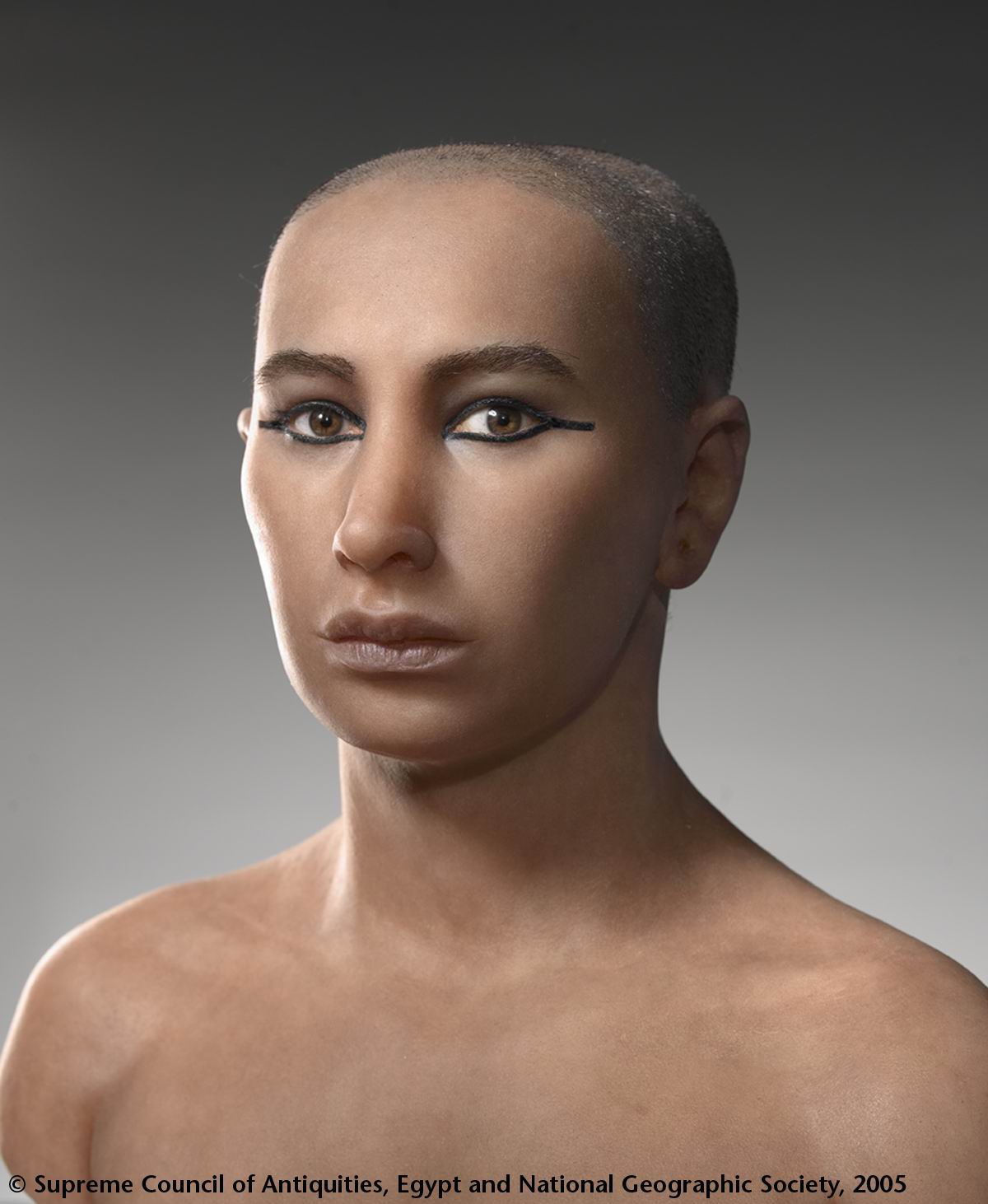
Following my ramble on Friday about the Egyptians and other ancient societies building temples and tombs with the idea that they will last forever, I watched a documentary about the discovery of Tutankhamun's Tomb from the perspective of Howard Carter. Although it was very American and very overacted, something the actor playing Carter said really interested me:
They built with eternity in mindI already knew this to an extent, but this documentary really put that into perspective for me. The mere fact that it took them so long to find his tomb, and the many that they have yet to find, such as the infamous Cleopatra, really goes to show how much thought was put into their construction.
Here's the video series if you want to watch it (split into 9 parts):
It's given me an idea of what I can do for my piece of work, but I think I need to go away and look at some more information on my subject matter, and try to find some after effects tutorials to support this.
Friday, 31 January 2014
Renovations.
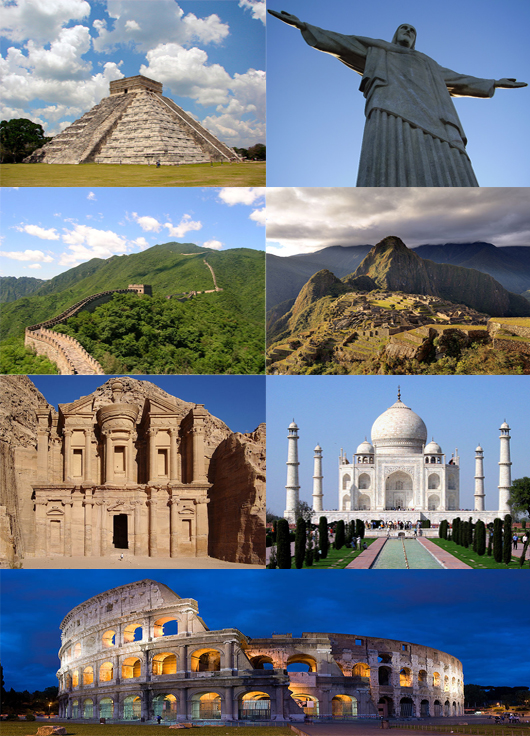
Following discussions today with Simon, I feel like I could perhaps combine together my interests in nature and architecture and put them together into one idea. I've always loved architecture, and when he suggested it, my mind immediately jumped to the ancient world, especially Egyptian architecture. When they built temples, pyramids and tombs, they built with eternity in mind. Similarly across other cultures in the ancient world such as the Greeks, Romans, Aztecs etc. These landmarks which we identify with those eras have to some extent stood the test of time, however they aren't perfect. Slowly they have eroded, and have had to be restored.
To me, this says something about a mindset these people had that was common across the world back then and to some extent it is now as well. There is and has been a common human arrogance which causes us to think we are going to be able to defy nature and build things which will last forever when that simply isn't true, as I have already said in previous posts.
An example of this can be found in the pyramids. Egyptologisits believe that the original structure of the pyramid stood 480.6 feet tall however with erosion, the current height of the pyramid is 455.4 feet tall. That's enough of my rambling for now, but that's my current idea. I'm just wondering how I could possibly get that message of a lack of immortality across through architecture.
Thursday, 30 January 2014
The Three/3.5 Ideas.
Now that I've done some research I've come up with some ideas for this multi-screen project.

My first idea is based on the original research I did on nature reclaiming the earth. If I were to do this project, I would want to animate leaves and vines moving through the three screens, wrapping around objects. As I already noticed in the after effects tutorials I have looked at that I could do this and make this look very animated. Essentially, I want to have three different elements of the earth being retaken; a dissolved statue, a carved tree being overgrown with moss and a human hand being wrapped up by vines. Another element I want to consider trying is having three kind of planes in each screen. So almost as if there are three different plates, back plate which is moving one way and has some animation of a backdrop, the middle plate which would be the object and the front plate which would be leaves, vines and perhaps a vignette type effect.

My first idea is based on the original research I did on nature reclaiming the earth. If I were to do this project, I would want to animate leaves and vines moving through the three screens, wrapping around objects. As I already noticed in the after effects tutorials I have looked at that I could do this and make this look very animated. Essentially, I want to have three different elements of the earth being retaken; a dissolved statue, a carved tree being overgrown with moss and a human hand being wrapped up by vines. Another element I want to consider trying is having three kind of planes in each screen. So almost as if there are three different plates, back plate which is moving one way and has some animation of a backdrop, the middle plate which would be the object and the front plate which would be leaves, vines and perhaps a vignette type effect.
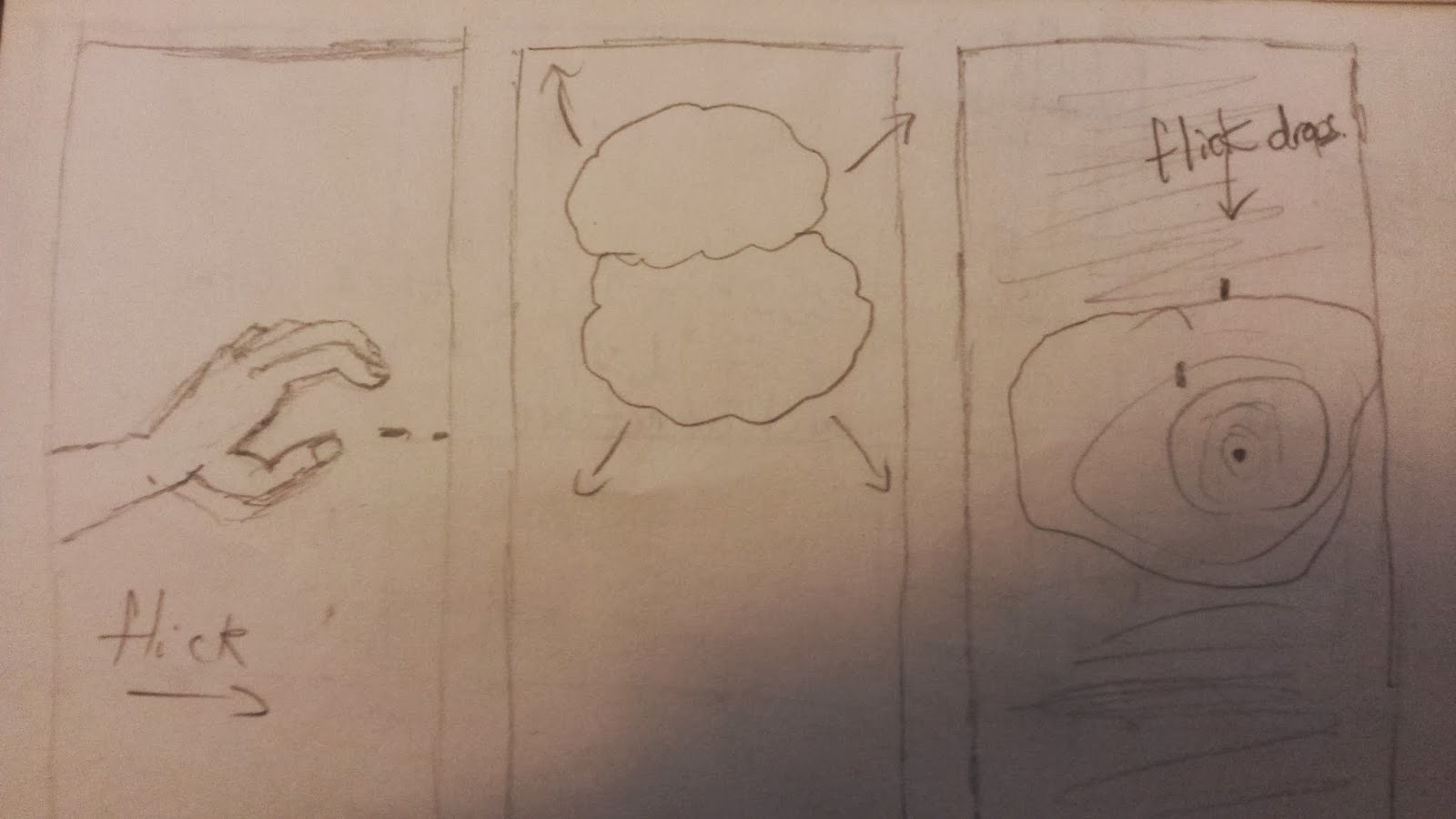
My next idea is to explore the water cycle. This is a lot more simplistic and minimalist than the full on idea of the nature reclaiming, but I think it could be very interesting. I want to explore water in terms of rhythm and consistency through the interaction of the three screens. For example, like the image above, a hand could flick water from the left screen and then drops could splash in a puddle on the right, with clouds brewing in the middle. If I could show this in different forms, and have things moving from one screen to another and have things changing, I think this could quite effectively show cycles and rhythm in nature.
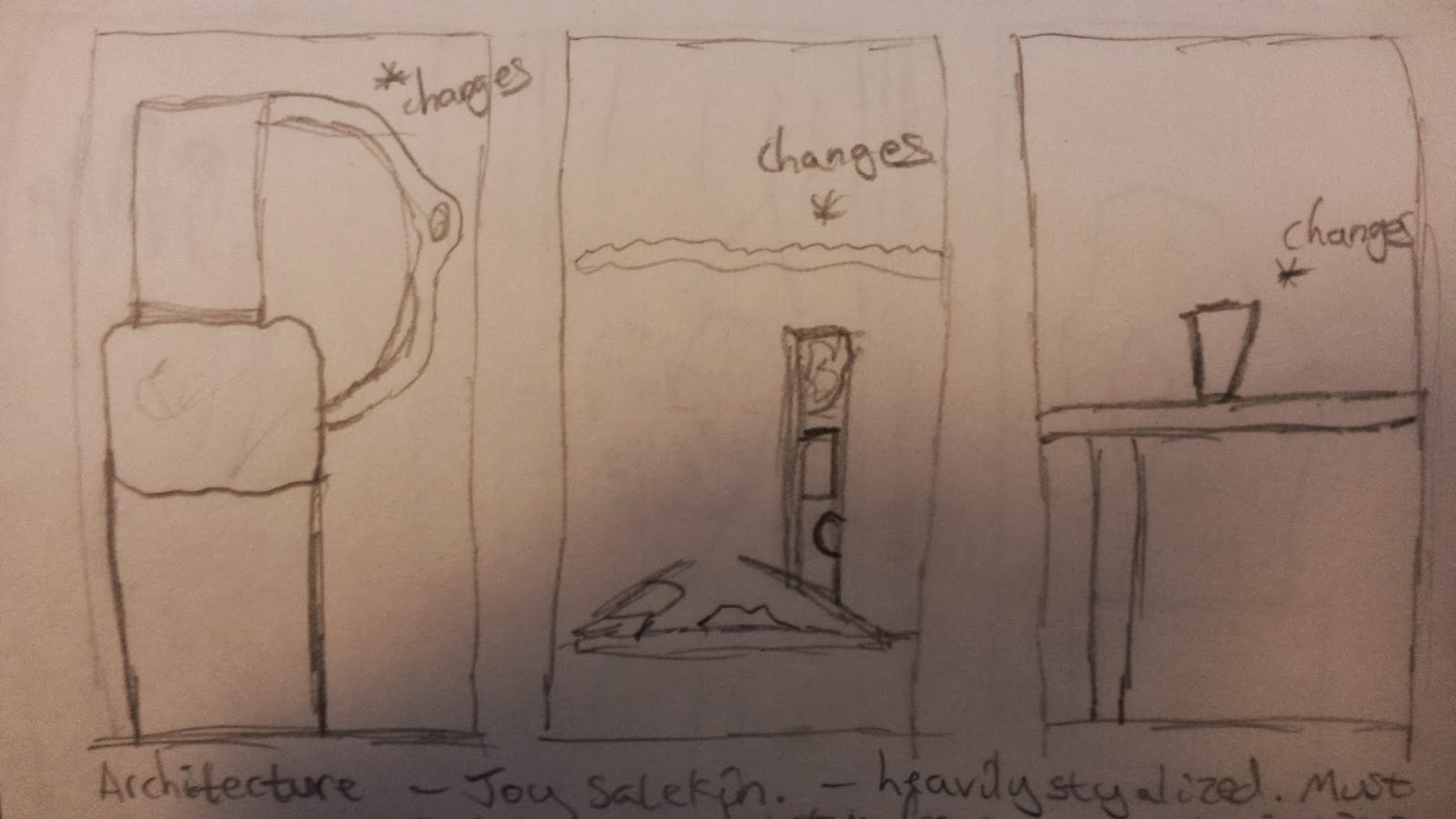
My final idea is in part, two ideas relating to the same theme. However I feel there is room to combine these ideas into one piece, and really I just couldn't discard one of them. This idea surrounds changes in architecture through time, however bringing them all into once space and jumbling them up and fitting them together like a puzzle. I guess this idea is about bringing lots of differing pieces of architecture into one space as a comparison, and bringing them into the same time period.
The top picture shows an idea of having three panels of different walls, different pieces of architecture, and having parts of them fragment. Similar to multiple TV screens of noise, but with digital fragmentation like in a photograph as well. Every time this would happen, a new piece of architecture would be inserted in its place to a rhythm or piece of music. However, I'd like this to be able to loop smoothly as well.
The bottom picture shows a more complicated idea. The middle screen is the main focus and is an empty space, like a field, which fills with the fragmented parts of different architecture to form a structure of their own, but moving and changing all the time. As I think of it, I can imagine it moving, growing and decreasing like a beat in a song and especially in the video of 'She Wolf' by David Guetta:
The two screens either side of it could show either the same or different things. My original vision was to have close-ups of different parts of the structure changing, so that the viewer gets a better view of what is happening. However I felt I could dedicate that to one screen, or both screens and then moving on to just one. The screen on the other side I feel could show what's inside the structure, changing also to represent the changes of eras and the times that these fragments of buildings represent. However I recognize that might be quite difficult to achieve so I perhaps show that in a simpler way.
Internetting.
When considering how I could achieve my ideas through after effects based work, I had a quick look around Youtube and had just a general google on some tutorials that I could perhaps use to apply to my work.
If I were to do my project on the water cycle, and involving water, I was thinking of perhaps how I could simulate liquid using after effects. I have little understanding of how this is done, and have only really seen before how it can be created using modelling tools such as Blender. I found these tutorials in the Creative Cow channel which gives me some idea of what I can do, and what kind of look I can get with it. Obviously I'd need to do more research and tests, but this is a good place to start.
Next I had a look at I could perhaps generate 3D architecture in After Effects, and how I can create 3D from a 2D image if I were to try and do a project on architecture. This is quite relate able to the tutorial I did the other day about animating a still image, but with a different result. I think, depending on what kind of thing I wanted to do, I could find this quite useful.
I then looked at if I perhaps wanted to simulate leaves or growing things in a project on nature reclaiming the world, then I looked at how I could do it. I realised by looking at this that of course, due to the limitations of my time and the limitations of the program that it would probably be a lot easier to create a project that was stylized to look like a sort of animation. I think this could be done quite effectively, and I have some idea of how I could do it.
Lastly, I looked at this tutorial on camera mapping as a general tool for any of these projects. If I want to create something 3D then using a camera is going to be necessary, and if I know how to use that camera to a fuller extent then it would give me a lot more options in terms of what I can do for my project. So, this tutorial was something I could find really useful.
Wednesday, 29 January 2014
Curves and Straight Edges.
My look at water and rhythms and movement in nature led me also to think about architecture and how that changes and has rhythm and movement too. As a child I was always very fascinated by architecture, and even now when I go to a new place I often trace the lines of the room, wanting to know how it was built and figure it out.
Looking at 'The Third & The Seventh' was a good place to start as it was something Simon showed the class before we took on this project fully and it shows the capabilities of CGI, and also shows a lot of interesting shapes and architecture. Obviously I don't have the time or the knowledge to achieve anything like this for this project, but it is something to aspire to and has an aesthetic that perhaps could be applied to my work in some way.
The next piece of work I looked at was this one, and it was very interesting in the time it must have taken to make, and the perspective it gives of architecture, old and new. It was made using carefully taken still images and then the rest was done in post. The effort of this is remarkable, and it creates a very time lapse effect/illusion which I find remarkable. It also gives me a few good ideas on how I could play with still images, along with the after effects tutorial I did recently. Take something very simple and make it more complex as it were.
The last thing I really looked at that involved some architecture, but was more about pace and style was this film, again by someone I knew at college. It's a heavily stylized piece which does look at architecture around London at some interesting angles, but the use of split screen and the music and the visual style creates something very dynamic and gives me something to think about in terms of colour and pacing.
Waterworks.
After my short exploration of cycles, and my look at some more triptych's, I realised that there was the potential to explore cycles further and namely the water cycle as I mentioned before.
Although I already have an idea concerning nature, that is more about the change in nature and is much more of a broad look at nature in general, whereas this is much more specific. Cycles in nature is much more about the rhythmic element as well as again the consistency of nature through time. My first thought when looking at cycles was a short film a student at my previous college did which was aptly titled 'Cycles' by Jason Bartlett.
This film looks at a lot of different cycles such as day and night, water melting and a sort of daily routine style. I thought it was a good place to start as it has a very conventional time-lapse look at time passing, yet it employs some nice techniques also. In doing this it made me aware of how I could shake up the look processes and cycles.
My next stop if you like was to vimeo to see how this theme had been explored in a more experimental way, and I stumbled across the film above. It's a nice short piece, and is the same length my film needs to be. The multi-screen element was also a bonus. I liked this film because there was a sort of hidden sense about it, like it doesn't reveal all because of the woman especially being slightly off screen and her face not shown. There is also a rhythmic element to it in how the screens change and move along.
Another experimental I found including water was the one above. It was very simple like the other one, and again uses a multi-screen/split screen element. This one was interesting because of the style. It has a particular style to it, and is quite hypnotic as it shows water movement in an interesting way. The music also helps a lot with that atmosphere.
I could definitely see myself doing a project based on the water cycle, looking at the many ways in which water moves and the rhythmic, consistent nature of it because of that. However, I need to think about how I can involved after effects into this to create something experimental and different, and to fit the brief also.
Tuesday, 28 January 2014
Dealing with Images.
After my look at cycles yesterday, I decided to talk to someone about my ideas and in doing so try to generate something more solid. It became evident to me that I need to think carefully about how I execute the idea and how long it will take me to accomplish.
I looked at a few more Triptych's, and found a comment on one of them that got me thinking.

Similarly, another one I looked at:

I looked at a few more Triptych's, and found a comment on one of them that got me thinking.
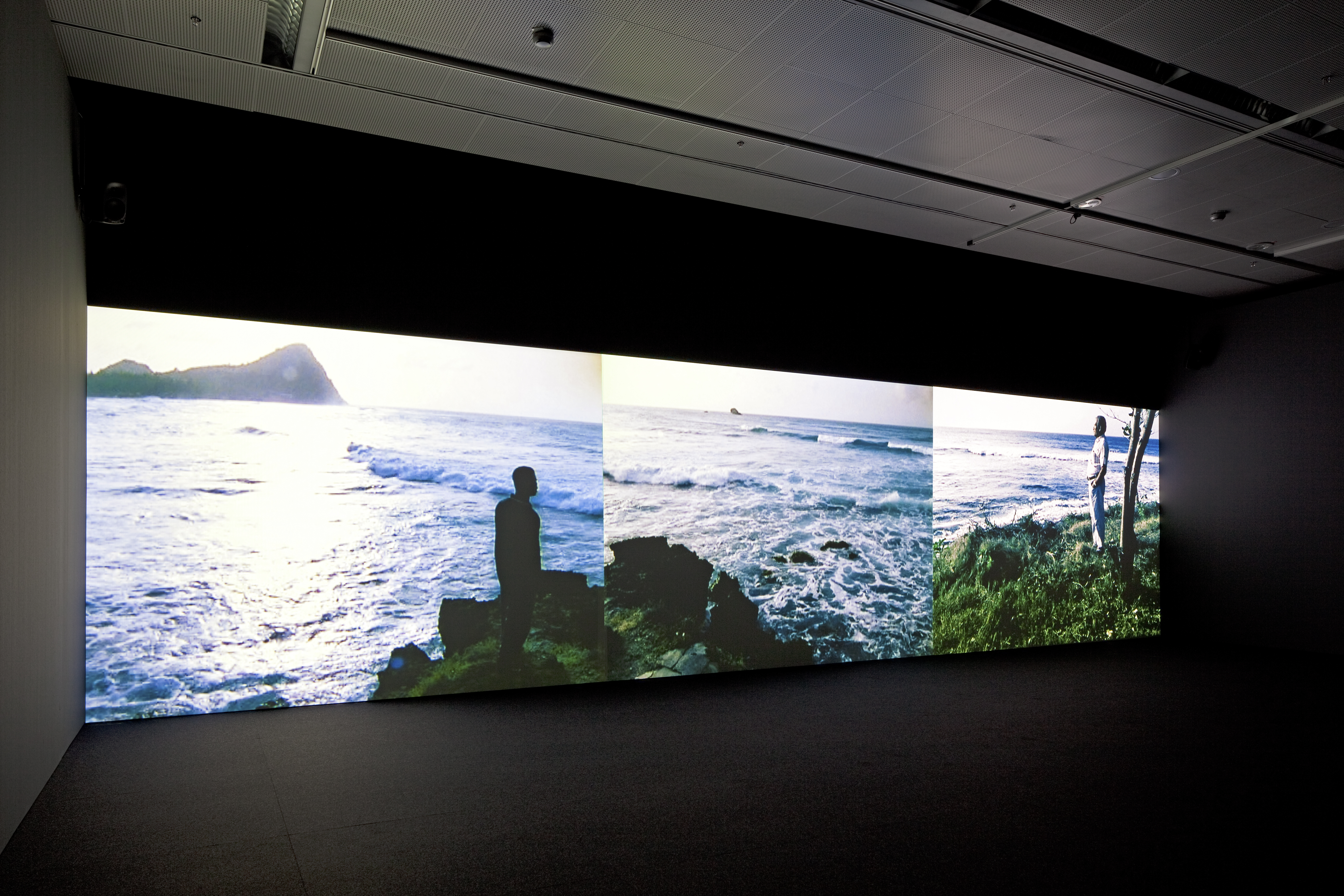
I found this on a page that wasn't written in very good English, but something I picked up from the article was:
'three images interacting dramatically, thematically, rhythmically, in beautiful ways'This gave me a pretty good idea of how an audience might respond to a triptych. I already mentioned that I feel the images need to acknowledge each other in some way, and I think this puts it into perspective. Looking at the piece, you can see how things line up, and how you can see different perspectives of the same thing.
Similarly, another one I looked at:
This one in particular focused on the emptiness of a space, the singing in the tunnel was the opening of a new water system, and using the three screens meant you could show many aspects of the emptiness at once, to gain a full understanding of why the singing is so contrasting, and thus making it more powerful. The conjunction of the images creates the meaning as is with editing in general.

Lastly, this one I looked at to try to understand how I could execute an idea digitally, as well as using footage. As this project is so open, I have the option to create something entirely in a digital environment, or by using footage as well. I found that by looking at this piece, I can see how I could create something digitally, yet focusing in on small areas much more to make it more doable in the time I have.
After my look today I want to look more at rhythms and timing, and also I may want to play with colour and style of my piece as well, I want this to be something visually dynamic so that you would be made to stop and look at it, even for a moment.
The Next J.J Abrams?
However, I didn't stick entirely to the tutorial in some ways as I didn't like the personal style of that complete effect that much. For one I didn't have the optical flares plug-in Andrew used in his project, but I disliked the flickering of the flares he used also as I found it to be too distracting. Also his light on the flare was very warm, and I found that distracting as well so I opted for something a little lighter and more natural.
Changing the colour to the lens flare was slightly more complicated than the tutorial as after effects does not give you that option naturally. So, to create that I used the lens flare effect provided and attached it to a null object, then put an adjustment layer on to that null object and played with some colour correction tools.
Also, the multiple ways he showed me to create a camera shake was nice, but when I tracked the real footage and applied it, I found that I personally didn't like the amount of shake created from that footage, so I just used the digital shake created and made it more shaky by changing a few values. I understand the importance of using real footage for a more realistic look, but I felt that was going a little overboard.
I think the effect turned out pretty well in the end, and I'm pleased with it. Here's a link to the Video Co-pilot tutorial if you don't know of the site currently: http://www.videocopilot.net/tutorials/animating_a_still/
Subscribe to:
Posts (Atom)